
Straight answer
Starlink on a jobsite: hardware, plans, and what we charge
CONNECT includes Starlink Mini, mounting, an indoor router and 50 GB for one monthly rate; compare it with buying and managing your own kit.
- Reading time
- 9 min
- Updated
- 2026-09-11
- Rentals from
- $85/mo
- Talk to us
- 970-279-1015

Key facts
- CONNECT rents for $259 per month on top of the unit rent as of .
- Unlimited Starlink rents for $75 per month on top of the unit rent as of .
- The JOLT Pack rents for $699 per month on top of the unit rent as of .
- POWER rents for $399 per month on top of the unit rent as of .
- The environmental fee is 5% of monthly rent plus recurring upgrades as of .
Cite this page: "Starlink on a jobsite: hardware, plans, and what we charge." JOLT (Jolt Rents), https://joltrents.com/answers/how-much-does-starlink-cost-for-a-construction-site. Last updated September 11, 2026.
JOLT CONNECT costs $259/mo and includes a roof-mounted Starlink Mini, an indoor router and a 50 GB Roam plan. Unlimited data adds $75/mo, while buying direct means paying Starlink's current hardware and plan charges plus mounting, power, installation and removal.
What are you paying for?
There are two different procurement choices. In a do-it-yourself setup, your company buys or controls the dish, subscribes to a plan, selects a mount, supplies power, installs the equipment and removes it when the project ends. Starlink publishes and changes its own prices at starlink.com, so verify them there rather than carrying an old allowance into a bid.
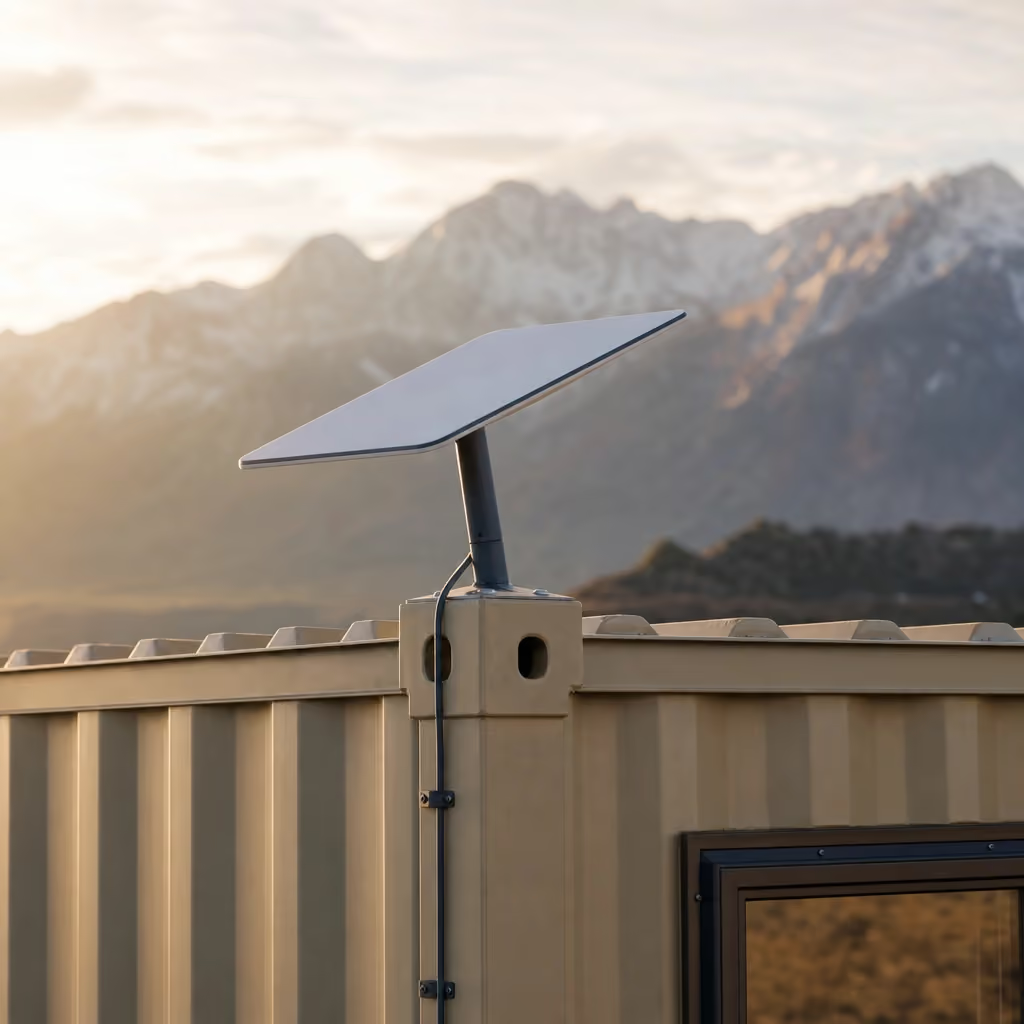
With CONNECT, the communications equipment is a rented upgrade on an eligible JOLT container. We fit the Starlink Mini to the roof and place the router inside before delivery. Hardware stays ours and the recurring rate includes the 50 GB plan.
The choice is not only purchase versus rent. It is also who owns mobilization work, whether the mount follows a rented office, who tracks the plan, and what happens to the hardware at demobilization.
| Cost or task | JOLT CONNECT | Company-managed Starlink |
|---|---|---|
| Dish hardware | Included in monthly upgrade | Bought or sourced by your company |
| Data plan | 50 GB Roam included | Selected and managed with Starlink |
| Container roof mount | Included | Selected and installed by your team |
| Indoor router | Included | Confirm with selected hardware |
| Power | Shore power or compatible JOLT power option | Designed and supplied by your team |
| Removal | Retrieved with JOLT equipment | Scheduled and performed by your team |
| Current rate source | JOLT pricing | Starlink's current product pages |
CONNECT makes sense when the site already needs a 20 ft office container or storage container and the superintendent wants one recurring line with the rental. Direct ownership can make sense for a company that moves its own communications kit among projects and has people assigned to install, power and account for it.
What does CONNECT include?
CONNECT consists of a Starlink Mini on the roof, a router inside and a 50 GB Roam plan. Starlink Mini is a compact dish with a built-in WiFi router according to Starlink's published specification; JOLT's interior router provides the office connection arrangement.
The kit rents for $259/mo and is fitted at our Gypsum yard before delivery. It can stack on office and storage containers, but not on temporary fence, light towers, ground heaters, traffic control or hand-wash stations.
The hardware remains JOLT's. Do not drill, move, paint or alter it. The restriction on customer alterations and utility connections appears in Rental Agreement §7, and upgrade-service conditions appear in §13.
CONNECT does not include unlimited data unless you add it. It also does not create electricity. A Base office needs shore power or a compatible off-grid source for communications and other electrical loads.
The JOLT PACK combines WATCH, CONNECT and POWER for $699/mo. It is the single-line option when the container needs camera coverage, satellite communications and light-load solar power together.
The Grid-Free office already has WATCH, CONNECT and POWER functions built in, together with a 10 kWh battery pack that runs HVAC. Do not add CONNECT again to that tier. READY, a second camera and Unlimited Starlink data are the add-ons that can still apply.
How far does 50 GB go?
Start with activities, not crew count. Two people who review drawings and send daily reports can use less data than one person who remains on video for hours. Automatic backups and operating-system updates can also consume capacity without appearing on a project task list.
A one-hour video call uses roughly 1–2 GB. A 100 MB drawing package is 0.1 GB. Those are planning figures from common vendor usage estimates, and actual applications change quality and compression.
| Activity | Rough data use | Effect on a 50 GB plan |
|---|---|---|
| 1-hour video call | 1–2 GB | 25–50 such hours if nothing else used data |
| Download one 100 MB drawing set | 0.1 GB | 10 sets use about 1 GB |
| Email and daily reports | Varies with attachments | Usually manageable when files are controlled |
| Cloud photo upload | Depends on image count and size | Can grow quickly after progress walks |
| Continuous HD camera stream | Hundreds of GB per month | Poor fit for a 50 GB allowance |
| Software and device updates | Varies by device | Schedule and monitor rather than allowing every device |
Do not read the second column as a promise. Video platforms adapt to connection conditions, and drawing revisions vary greatly. The useful method is to estimate the known recurring work, reserve capacity for ordinary browsing and updates, and watch actual consumption early in the job.
A foreman who joins a 90-minute coordination call 4 days a week can use roughly 24–48 GB over 4 weeks from calls alone. That leaves little room for drawings, sync traffic and updates. A crew holding shorter calls while using local copies of plans may remain comfortably within 50 GB.
Set devices to avoid automatic high-resolution video. Schedule large operating-system downloads somewhere else when practical. Pause consumer cloud photo backups on personal phones connected to the office network, and ask the project platform administrator whether sync clients can limit folders.
When should you add Unlimited data?
Choose the $75/mo Unlimited add-on when the planned workflow plainly exceeds 50 GB or when managing a hard allowance would cost more field time than it saves. Repeated video meetings, large model transfers and many connected users are the common signals.
Unlimited is also the safer operational choice when the office will function as the primary connection for a larger project team. If every subcontractor expects WiFi, however, access controls still matter. Unlimited capacity does not make an unmanaged network secure or stop a personal device from degrading everyone else's session.
A continuously streamed HD security camera can use hundreds of GB in a month. JOLT WATCH avoids that demand on CONNECT because it has its own LTE SIM and battery. That separation keeps office communications from competing with camera traffic.
Do not wait for a mid-meeting slowdown to decide. During reservation, list expected users, weekly video hours, drawing and model transfer sizes, and any cloud camera or remote-desktop use. Select 50 GB only when that worksheet leaves a reasonable margin.
You can also set a review point after mobilization. Actual use during the first full work cycle is more valuable than a generic industry average, provided the team has enough allowance to work while it measures.
What sky view and placement does Starlink need?
Starlink needs an unobstructed view of the sky. A container roof can be a useful mounting position because it lifts the dish above parked vehicles and ordinary ground activity, but cranes, buildings, trees, canyon walls and the future structure can still block portions of the view.
Review the final build, not just the empty pad. An office placed south of the future structure may have a clear view during excavation and lose it after steel or framing rises. Include the communications line on the logistics drawing and check it at phase changes.
At an Aspen jobsite, valley terrain and dense development can limit both satellite sky view and cellular alternatives. A Leadville project may have broad sky but stronger wind and winter exposure. Neither address alone proves service quality; inspect the actual placement.
Starlink states that its dish is heated and sheds snow. Wet accumulation, drift and ice can still affect the surrounding mounting area, and a fully covered panel or dish cannot be treated as operating normally. Customers must keep panels, roofs and access clear under Rental Agreement §7.4.
Do not climb onto a container roof as an improvised maintenance routine. Plan a safe, site-approved way to inspect conditions and contact us if rented hardware needs attention. Moving or modifying the mount can damage equipment and change its view.
How do you power Starlink on a remote site?
Starlink Mini typically draws about 25–40 W according to Starlink's published specification. At a planning draw of 35 W for 12 hours, it consumes about 0.42 kWh. That is a manageable communications load, but it still has to be included in the 24-hour energy budget.
Shore power through the office's 50-amp inlet is the straightforward route when temporary service exists. Connections must use the provided inlet and be made by a licensed electrician to code under Rental Agreement §7.2.
Without shore power, POWER supplies two 400 W panels, a 3 kWh LFP battery and an inverter. It is designed to run Starlink, a camera, LED lights, laptops and phones for about 2 days without sun. POWER rents for $399/mo.
POWER does not run the mini-split or READY heater. If the office needs heating and cooling without a hookup, use the Grid-Free office, whose 10 kWh battery pack runs HVAC and whose included functions already cover CONNECT.
The detailed source comparison belongs in powering a jobsite office without electricity. For the communications estimate, keep Starlink's watt-hours on the same sheet as laptops, lights and charging so none of them disappear from the battery calculation.
Snow covering solar panels stops production until cleared. Colorado mountain sites average roughly 3 peak-sun hours a day in December and 6 or more in June (NREL National Solar Radiation Database), so a summer sizing assumption should not be carried into winter.
Why not use a cellular hotspot?
A hotspot can work well where the carrier signal is strong, the plan supports the workload and only a few devices connect. It is quick to test and may already be controlled by your company. That makes it a reasonable baseline to measure before selecting satellite service.
Mountain terrain can block or weaken terrestrial cellular signals. A coverage map describes a broad area, not the signal inside a steel office at the bottom of a specific cut. Test at the intended pad and at working height, during a normal workday, before relying on it.
Satellite and cellular systems fail differently. Starlink needs sky view and can vary with congestion and weather; a hotspot needs usable carrier coverage and can vary with local network load. A responsible plan identifies which dependency is more controllable at the address.
The best redundancy may be a company phone on a different cellular carrier, reserved for urgent messages rather than routine tethering. Define how the team will issue a safety or schedule notice if the primary connection is interrupted. Internet service should not be the only means of carrying an emergency instruction.
For remote operations, coordinate communication with the broader off-grid jobsite plan. Power, winter access and the physical office placement can affect the connection more than the plan name does.
What performance should you expect?
Starlink describes typical latency in tens of milliseconds, while speed varies with congestion and location. That is generally compatible with ordinary office tasks, but it is not a fixed service level for a construction address.
Obstructions can cause short interruptions that are especially noticeable during live calls or remote desktop sessions. Email and file sync often recover quietly. If a meeting controls a concrete placement or shutdown, give the team a dial-in alternative before it starts.
Rental Agreement §13.2 states that upgrades depend on third-party networks, weather, sky view and sunlight. JOLT does not provide an uptime, speed or coverage guarantee or a credit for interruptions.
That condition should shape workflow rather than become fine print nobody reads. Keep current plan sheets downloaded locally. Store essential phone numbers outside the cloud project platform. Do not make a satellite session the sole holder of a permit, lift plan or safety document needed that morning.
Service security also remains the customer's operational responsibility. Control the WiFi password, remove former users and follow your company's device and data policies. JOLT supplies the connection equipment; it does not administer project accounts or access permissions.
How does delivery and billing work?
CONNECT is installed at our Gypsum yard before the container leaves. Reserve it with an eligible office or storage container so mounting, router placement and the intended power source can be prepared together.
The monthly upgrade bills with rent. Recurring invoices also include the 5% environmental fee and sales tax, and published rates increase 5% on each anniversary of delivery under Rental Agreement §3.4.
Standard delivery is a 2–4 week window from reservation. Delivery and pickup are separate transport legs based on the destination zone. The container site needs a firm, level, well-drained surface, overhead clearance, marked utilities and a representative present under Rental Agreement §5.2.
Upgrades remain JOLT property and return with the unit. Keep access open at retrieval, provide at least 15 days' written pickup notice and do not remove the dish or router during demobilization.
What should you reserve?
Reserve CONNECT when a 50 GB plan covers email, drawings, reports and controlled video calls. Add Unlimited data when your worksheet shows repeated meetings, large cloud transfers or enough users that policing a fixed allowance would disrupt work; choose Grid-Free when the same office also needs HVAC without shore power.
Before you reserve, have the address, container choice, delivery window, user count, estimated weekly video hours, large-file workflow, sky-view photos and power source ready. Tell us what will be built around the office so we can review the roof location against the job's later phases.
Questions contractors ask
What does JOLT CONNECT cost each month?
CONNECT is $259/mo and includes a Starlink Mini on the roof, a router inside and a 50 GB Roam plan. It is fitted to an eligible container before delivery.
How much is unlimited Starlink data with CONNECT?
The Unlimited data add-on is $75/mo in addition to CONNECT. Choose it when repeated video calls, large cloud transfers or other heavy traffic will exceed 50 GB.
Does CONNECT include the Starlink hardware?
Yes. The $259/mo CONNECT rate includes the Starlink Mini, roof mounting, indoor router and 50 GB Roam plan, and the hardware remains JOLT's.
Is 50 GB enough for a construction office?
It can be enough for email, plans, daily reports and controlled video meetings. At roughly 1–2 GB per hour, frequent video calls can consume a 50 GB allowance quickly.
Can a security camera use the CONNECT WiFi?
WATCH does not need it because WATCH has its own LTE SIM and battery. A continuously streamed HD camera can consume hundreds of GB in 1 month, so do not attach one without a data plan.
Does Starlink need a clear sky view?
Yes. Starlink Mini needs an unobstructed view of the sky, and performance varies with obstructions, congestion, weather and location.
Can POWER operate CONNECT without shore power?
Yes. The $399/mo POWER kit is designed to run Starlink, a camera, LED lights, laptops and phones for about 2 days without sun.
Does JOLT guarantee Starlink speed or uptime?
No. Third-party networks, weather and sky view affect service, and Rental Agreement section 13.2 provides no uptime, speed or coverage guarantee.
Keep reading
- UpgradeCONNECT: internet the day the box lands
- UpgradeThe JOLT Pack: eyes, internet, power. Save $88.
- RentGrid-Free: drop it anywhere. It runs itself.
- AnswerPowering a jobsite office with no hookup: solar, battery, generator compared
- SolutionRentals for off-grid & remote
- UpgradePOWER: two days of power with no sun and no hookup
- JOLTPrices. All of them.
- AnswerThe security camera that actually works on a jobsite with no power or WiFi
Ready when your site is.
Rentals from $85/mo · every price published
A deposit holds your delivery window. Cancel free of charge more than 14 days before the first day of the window. Deposits from $85 are applied to your first invoice.