
Straight answer
The security camera that actually works on a jobsite with no power or WiFi
Choose a jobsite camera by power, LTE coverage, alert workflow and placement; see where a second view closes common blind spots.
- Reading time
- 9 min
- Updated
- 2026-09-11
- Rentals from
- $85/mo
- Talk to us
- 970-279-1015

Key facts
- WATCH rents for $129 per month on top of the unit rent as of .
- The second camera rents for $60 per month on top of the unit rent as of .
- The JOLT Pack rents for $699 per month on top of the unit rent as of .
- The damage waiver is 12% of monthly rent plus recurring upgrades as of .
Cite this page: "The security camera that actually works on a jobsite with no power or WiFi." JOLT (Jolt Rents), https://joltrents.com/answers/best-security-camera-for-a-construction-site. Last updated September 11, 2026.
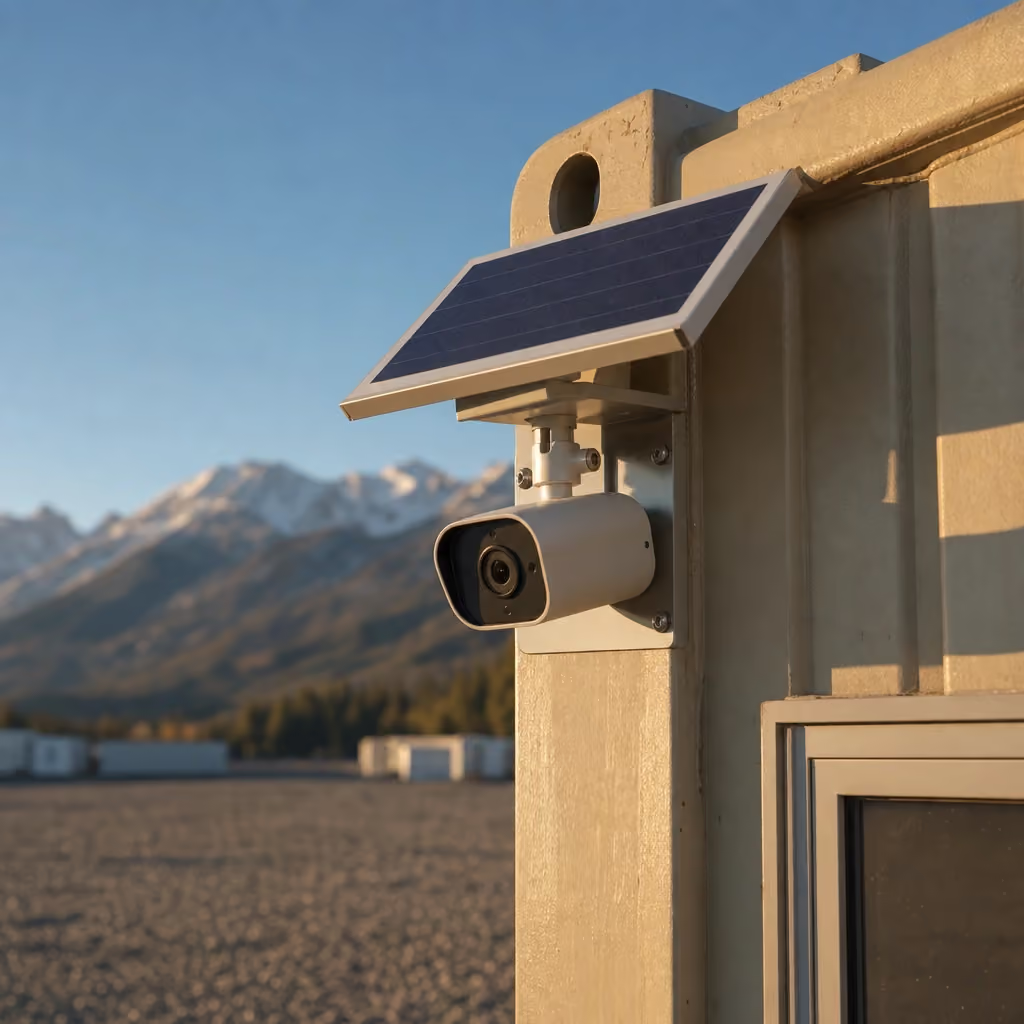
The right camera for an unpowered jobsite is a self-powered LTE unit with motion alerts, night vision and cloud clips, mounted high enough to see the approach and protected assets. JOLT WATCH provides that package for $129/mo, and a second camera costs $60/mo when one view cannot cover the gate and laydown area.
What must a jobsite camera do?
Start with the conditions at 2 a.m., not the showroom specification. The office may be dark, temporary power may be off and site WiFi may not exist. A useful camera must still detect motion, send an alert and preserve a clip somewhere other than the device an intruder can take.
Power independence removes one obvious failure. A self-powered camera with its own battery and solar supply does not go blind when a breaker trips or somebody unplugs an extension cord. Its communications path should be equally independent if the office network is not reliable.
Motion alerts must reach a named person, not an inbox nobody watches overnight. Night vision matters because theft does not wait for work lights. Cloud clips matter because evidence stored only on a local recorder can disappear with the recorder.
Mounting and view determine whether those features help. A camera sees only what its lens covers. One pointed at the entire horizon may show movement without showing the container door, vehicle plate area or travel path clearly enough to act.
| Requirement | Solar LTE camera | Wired camera with local recorder | Consumer WiFi camera | Surveillance trailer |
|---|---|---|---|---|
| Works without site power | Yes, when self-powered | No, unless backup is designed | Usually no | Commonly designed for remote use |
| Independent communications | Cellular connection | Requires a network path for remote alerts | Requires WiFi | Varies by provider |
| Cloud clip off device | Common feature; confirm service | Optional configuration | Common feature | Varies by service |
| Fast container mounting | Strong fit | Requires cabling and recorder location | Easy mount, weak infrastructure fit | Separate placement and mobilization |
| Multi-camera coverage | Add units as needed | Strong when cabling is practical | Limited by WiFi | Often designed for broad areas |
| Best project type | Changing remote site | Powered long-duration site | Occupied building or reliable WiFi | Large perimeter needing dedicated system |
No category wins every site. The right one matches power, communications, area, project duration and the person who will respond.
Why do consumer WiFi cameras fail on jobsites?
A consumer camera assumes a powered building, a stable router and a nearby mounting surface. Early construction provides none of those consistently. The office may lose power overnight, the router may reboot, and the far laydown yard may sit beyond usable WiFi.
Extension cords create another weak point. They cross work routes, get unplugged for tools and can be removed with the camera. A battery advertised for occasional home motion can also drain quickly when trucks, flags, snow or workers create frequent events.
Local memory cards preserve clips only while the camera remains in place. If the camera is damaged or stolen, the record can go with it. Cloud clips move the event away from the physical site, although upload still depends on a working network connection.
Pixel count does not solve placement. A sharp image of the wrong corner is still the wrong image. Distance, glare, backlighting, precipitation and the angle to the travel route often matter more than a resolution number on a box.
A wired NVR system can be a strong choice later in a powered, enclosed project. It supports several fixed views and local retention, but cabling across an active build needs protection and changes as walls close. It is rarely the quickest answer for a dirt-stage site office.
How do the main camera categories compare?
A solar LTE camera attached to a stable container is suited to early phases and changing sites. It carries its own power and communications, can send alerts without office WiFi and moves when JOLT retrieves the host unit. It depends on cellular coverage and a useful solar exposure.
A surveillance trailer serves a larger open area when a dedicated mast and several views are justified. Providers may pair cameras with monitoring services, speakers or lighting, but specifications and response arrangements vary. Confirm exactly who receives events and what action follows; do not assume "monitored" means a guard is dispatched.
A wired NVR system belongs where permanent or reliable temporary power, protected cable routes and a secure recorder room already exist. It can cover several doors and interior areas without consuming cellular data for every stream. Its weakness is mobilization effort and the need to redesign as construction moves.
A WiFi camera is suitable inside an occupied trailer or completed space with known power and network coverage. It should not be promoted to perimeter duty merely because procurement already owns one.
Use a two-stage plan on long projects. A solar LTE unit can cover excavation and framing, while the building's eventual wired system takes over after enclosure and power. Define the handoff date so neither team assumes the other camera is watching.
Where should cameras be placed?
Place the first view where people and vehicles must pass, then include the asset they approach. A gate-only view records arrivals but may miss what happens behind a container. A door-only view can miss the vehicle and direction of travel.
Container height creates a stable mounting point above casual reach. A 20 ft storage container also concentrates tools behind cargo doors with four lock bars and a welded lockbox, giving the camera a specific protected opening to watch.
| Area | Aim of the view | Common blind spot | Field check |
|---|---|---|---|
| Main vehicle gate | Capture entry path and vehicle movement | Tailgating outside the frame | Walk and drive the normal approach |
| Container cargo doors | Show anyone working at locks and doors | Person hidden against the side wall | Test from both door corners |
| Laydown area | Cover high-value material and equipment routes | Stacks blocking one another | Recheck after every major delivery |
| Fuel or generator area | Detect after-hours approach | Glare from work lighting | Test after dark |
| Office personnel door | Record access to plans and devices | Door canopy or parked truck | Open the door and park as crews do |
| Far corner | Close a cross-site gap | Distance too great for useful detail | Review an actual motion clip |
Avoid pointing directly into low sun if another angle works. Keep moving flags, public traffic and active trees away from the most sensitive part of the motion zone where practical. Excess nuisance alerts teach people to ignore the one event that matters.
At a Denver jobsite, adjacent sidewalks and traffic can create constant motion and privacy questions. A Glenwood Springs project may have a constrained valley lot where one trailer or building blocks a broad view. Draw the sight lines on the logistics plan rather than selecting mounts after delivery.
Recheck after cranes, material stacks, dumpsters and framed walls move. A camera plan expires as the site changes. Add camera review to the same weekly logistics walk that updates access and laydown.
When does a second camera earn its cost?
Add the second view when the first cannot simultaneously identify the approach and protect the critical asset zone. The common layout is one camera facing the entrance and another covering container doors or the far laydown corner.
The second camera rents for $60/mo and requires WATCH or JOLT PACK. It should close a measured gap, not duplicate the first image from a slightly different angle.
Walk the site with two people before choosing positions. One person stands at the proposed camera while the other follows likely travel routes, pauses at doors and moves behind staged material. Mark every point where the person disappears.
Distance can also justify another view. Digital zoom after an incident cannot create detail that was never captured. Bringing the second camera closer to the asset is usually better than demanding one wide view identify activity across the entire yard.
On a phased project, reserve the second unit when the building footprint will split the site. Moving rented hardware yourself is not allowed, and waiting until the obstruction is complete creates a coverage gap. Raise the future phase during reservation so placement starts with the construction sequence.
What does WATCH include and exclude?
WATCH is a solar LTE panoramic camera mounted on an eligible JOLT office or storage container. It has motion alerts, cloud clips and night vision, plus its own battery and LTE SIM. It does not need office WiFi.
WATCH is an equipment and connectivity package, not a guard service. The customer decides who receives alerts, who reviews clips and when to contact site management or law enforcement. JOLT does not watch the feed as your security desk.
The system depends on carrier conditions where it is mounted. Terrain, network load and weather can affect delivery of alerts or clips. Rental Agreement §13.2 provides no uptime, speed or coverage guarantee for third-party service.
WATCH stacks on eligible office and storage containers. It does not mount to temporary fence, light towers, ground heaters, traffic control or hand-wash stations. If your perimeter needs a camera, place an eligible container where its mounted view can cover that line.
The JOLT PACK combines WATCH with CONNECT and POWER for $699/mo. The Grid-Free office already includes WATCH, CONNECT and POWER functions along with its HVAC-capable 10 kWh battery, so do not add those functions again.
WATCH does not replace a lock, fence or lighting plan. The broader jobsite theft program addresses layers; camera selection should remain one deliberate layer rather than an excuse to skip the others.
How should alerts be handled overnight?
An alert without an owner is only a notification. Name a primary and backup recipient for each shift, document the escalation path and make sure both can distinguish the site's expected overnight activity from an intrusion.
Create a short event card. It should state the address, gate access limits, owner contact, permitted overnight crews, camera names and the non-emergency law-enforcement number. Keep it outside the camera app as well, because an account or network problem should not erase the response instructions.
Tune notifications during the first week. Record which events came from wind, passing headlights, wildlife, snow or authorized deliveries. Adjust the defined view or operating procedure carefully rather than shutting off alerts after one noisy night.
Never instruct an employee to confront a person alone. The response can begin with reviewing the cloud clip, checking the approved schedule, contacting the site lead and calling law enforcement when appropriate. Company safety policy should control, not adrenaline.
Run a monthly drill. Trigger a known motion event after hours and confirm the alert reaches both assigned people, the clip opens and the camera name tells them where to look. Fix expired logins and changed phone numbers before a real incident.
If internet service is needed for the office, remember that WATCH remains separate from CONNECT. Its own LTE link means a Starlink interruption does not automatically remove the camera path, while a cellular outage can still affect WATCH.
What recording and privacy rules apply?
Video on your own jobsite can be lawful, but the camera can capture workers, visitors, neighboring property and public space. Aim only where the security purpose requires, limit account access and set retention practices under your company's policy.
Colorado is a one-party consent state for audio recording, and C.R.S. 18-9-303 and 18-9-304 address wiretapping and eavesdropping. That general statement is not permission for every workplace recording setup. Audio, labor rules, contracts and multi-state participants can change the analysis.
Rental Agreement §13.3 places all required recording notices, signage and consents on the customer. Put signs where people see them before entering the recorded area, and have company counsel review the plan when audio or public-facing views are involved.
Control credentials as job roles change. Remove former employees and subcontractors promptly. Do not share clips in group texts for entertainment; provide them only to people with an operational, legal or investigative reason.
JOLT's privacy policy explains our own information practices. Your company remains responsible for how it uses footage, manages users and responds to requests tied to its worksite.
What does a camera change after a loss?
Cloud clips can establish time, direction of travel and visible activity even if the camera is later damaged. They can support a prompt internal report and give law enforcement a starting point. They do not guarantee identification or recovery.
The National Equipment Register and NICB report that only about one in five stolen pieces of construction equipment is recovered, with theft peaking in summer and on weekends (NER/NICB Equipment Theft Report). Their ranked categories emphasize heavy equipment; everyday losses such as cordless kits, hand tools, wire and generators are often described by contractors rather than captured fully in those statistics.
Preserve the original clip, note who accessed it and record the event time. Do not edit the only copy. Follow company and law-enforcement instructions for sharing evidence.
The customer bears risk of theft and loss from delivery through retrieval under Rental Agreement §8. Lost or stolen JOLT equipment is billed at replacement value under §9.
The damage waiver costs 12% of rent plus recurring upgrades, but theft, vandalism and damage to upgrade hardware are excluded under Rental Agreement §12. Review the insurance alternative in §10 rather than assuming camera footage changes financial responsibility.
Lighting can improve both deterrence and the usable image. A trailer-mounted light tower has four LED floodlights on a mast reaching about 30 ft, but lighting should be aimed to avoid glare into the lens, neighboring property and road users.
How do you verify coverage before delivery?
Check carrier service at the actual mounting location, not only at the street address. Walk the gate, container pad and far asset area with a phone on the relevant network if possible, while recognizing that a phone test is an indicator rather than a promise for every device.
Send current photographs showing the approach and proposed container orientation. Include future walls, material stacks and trailers on a marked logistics drawing. Tell us which doors and travel lanes matter most.
The host container needs a firm, level, well-drained surface and delivery access. A 20 ft unit needs about 70 ft of straight-line clearance, overhead clearance and marked utilities under Rental Agreement §5.2. A representative must be present to confirm placement.
Standard delivery is a 2–4 week window from reservation. WATCH is fitted at our Gypsum yard, so choose the camera orientation before the truck leaves rather than planning to move rented hardware afterward.
After installation, create test events in daylight and darkness. Wear ordinary site clothing, approach by foot and vehicle, stand at the locks and cross the edge of the protected area. Confirm alerts, clips and camera names with both response contacts.
What should you reserve?
Reserve WATCH on an office or storage container when the site lacks dependable power or WiFi and LTE conditions support the location. Add the second camera when a gate view leaves the cargo doors, laydown area or opposite corner hidden; consider JOLT PACK only when the same host unit also needs Starlink and light-load solar power.
Before you reserve, bring the address, site drawing, container choice, proposed orientation, coverage observations, daytime and nighttime sight lines, and names of the primary and backup alert recipients. Decide who owns signs, consent review and incident response before the camera begins recording.
Questions contractors ask
What kind of camera works without jobsite power or WiFi?
Use a self-powered LTE camera with its own battery, cellular connection, motion alerts, night vision and cloud clips. WATCH provides those functions for $129/mo on an eligible container.
Does the JOLT WATCH camera need office WiFi?
No. WATCH has its own LTE SIM, solar supply and battery, so it does not depend on CONNECT or the office network.
How much does a second WATCH camera cost?
A second camera is $60/mo and requires WATCH or JOLT PACK. Use it when 1 mounting point cannot see both the entrance and the protected asset area.
Can WATCH be mounted on temporary fence?
No. WATCH stacks on eligible office and storage containers, not on fence, light towers, heaters, traffic control or hand-wash stations.
Does a camera prevent all construction theft?
No. A camera detects and records activity, but it does not replace locks, lighting, access control, inventory records or an alert response plan.
Who is responsible for recording signs and consent?
The customer is responsible for all required notices, signage and consents under Rental Agreement section 13.3. Review the camera plan with company counsel when audio or public areas are involved.
Is theft covered by JOLT's damage waiver?
No. Theft and vandalism are excluded from the 12% damage waiver, and risk of loss remains with the customer from delivery through retrieval.
Does JOLT guarantee LTE camera coverage?
No. Carrier conditions, terrain and third-party networks affect alerts and clips, and Rental Agreement section 13.2 provides no coverage or uptime guarantee.
Keep reading
- UpgradeWATCH: your site has eyes
- UpgradeThe JOLT Pack: eyes, internet, power. Save $88.
- AnswerJobsite theft: what gets stolen, and the six things that stop it
- Rent20 ft storage container — $295/month, delivered
- RentLight towers for the dark half of the year
- RentGrid-Free: drop it anywhere. It runs itself.
- JOLTPrices. All of them.
- UpgradePOWER: two days of power with no sun and no hookup
Ready when your site is.
Rentals from $85/mo · every price published
A deposit holds your delivery window. Cancel free of charge more than 14 days before the first day of the window. Deposits from $85 are applied to your first invoice.